Nathaniel Reinhart Photography

Galleries

  • Columbia Gorge
  • Cascades
  • The Sea
  • Flora
  • The West
  • City
  • Life
  • PhotoBlog
  • About
  • Contact

Archives

  • Apr 2009 (1)
  • Dec 2008 (1)
  • Sep 2008 (5)
  • Aug 2008 (3)
  • Jul 2008 (1)
  • Jun 2008 (3)
  • May 2008 (5)
  • Apr 2008 (10)
  • Jan 2008 (1)
  • Dec 2007 (1)
  • Nov 2007 (5)
  • Oct 2007 (3)
  • Sep 2007 (2)
RSS
Show/Hide NavBar
© 2004-2009, Nathaniel Reinhart
All rights reservered. Terms of Use

April 14, 2009

The Digital Grad ND

This is a rough draft post - please leave comments about how it can be made clearer and improved! Thanks! - Nathan

One major problem photographers face is shooting scenes have have too much difference between the dark parts and the light parks of the scene. For instance, how do you take a picture flowers during sunrise? The sky is really bright and getting all those wonderful warm tones from the sun rise, but the sun isn't "up" yet (obviously) and those flowers that you want to give the picture some interest are way to dark for your camera to take a picture of both of them.

This was exactly the problem that I faced a couple of weeks ago and I'm going to show you how I solved it.


The Foreground

The Background


Step 0) Take two pictures


Back in the "good ol' days of film", photographers would uses graduated neutral density filters to "even" out these types of problems. These were pieces of glass with one side dark and the other side light. They would put the dark part in front of the brighter part of the scene, toning it down to where the darker part was. You can certainly still do this in a digital age (I know several people who do), but you can very easily get the same effect, after the fact, with little work. The advantages to doing it after the fact are you get all kinds of opportunity to mess it up and try again and you can perfect it each time for each image. So...here is how you do it.

You need to take two pictures - one that has the dark part looking "right" and one that has the light part looking "right". If you are shooting in RAW and the scene works for it you can take one picture and develop the RAW file with different exposure settings to get this pictures. If you don't know what RAW is, take two pictures. In taking these two pictures the camera really needs to be on a tripod because you need these images to line up perfectly.

At this point you have two versions of the same image, one with the foreground looking correct, one with the background looking right. We need to put these together into a single image.

Load up both the foreground and the background into your favorite photo editor. They need to be loaded into the same image on different layers.

Step 1) Add a layer mask to the top layer.


Most editors have some sort of "mask" option if you right click on the layer. If you've never used a mask, you'll love it. Masks have to be the most flexible way of blending two layers together. A mask lets you "paint" away the part of the layer your want transparent. The areas of the mask that are black make that part of the layer transparent, where the areas that are white keep that part of the layer opaque. Shades of gray are partially transparent. That's where the magic is. You can paint, cut, copy, paste, blur, smudge, whatever you want to the mask without damaging the actual image. This is going to let you quickly create a complex blend between your layers.

Step 2) The basic blend


Find your editors gradient tool and make sure it is set to a basic black to white gradient. Now pick the area of your image that you will blend. For the example image, its going to be the area of the meadow in the distance, but not really the sky part. Now, on the layer mask, draw a gradient in the area you want to blend. It should look something like this:


Play with this a couple of times until you've got something that looks "pretty good". In my case it looks like this.


Step 3) Smudge it, smudge it and then smudge it some more


If you are satisfied with the basic blend then don't feel like you have to continue with these steps. However, these other steps can really fine tune the blend. Anyway, grab the smudge tool and a huge (300+ pixel radius) fuzzy brush and smudge the mask so that it doesn't look as "harsh". Parts of the transition that seem too dark should probably get smudged to make it lighter, vice versa for light areas.

This step should be quick and natural and sloppy. Don't think to hard about how you are smudging it. If you smudge it too far one way just smudge it back, but the goal really is to sloppy up the gradient. My mask looked like this when I was done with this step.


And my image now looks like this...


Step 4) Gaussian Blur


At this point it probably looks pretty good but there are areas that seem kind of harsh in the transition. To fix this, run the mask through a Gaussian Blur filter with the radius set to 300-600 pixels depending on taste. This will even out all that smudging you did and leave you with a silky smooth, but not even transition that has been hand tweaked to give you the best possible results. In my case the mask looked like this...


If you run it through the blur and it doesn't look right, go back to step 3 and smudge some more...or use a smaller radius. Play around with these steps to get a feel for how they behave.

Step 5) Final Touches


After you are satisfied with the transition, merge the layers together. At this point I like to run it through any additional processing, or at the very least adjust the curve just a little. I find that doing "something" to the whole image after blending, makes everything more "cohesive" and the image just works better. So...my end result, after blending and a minor curve adjustment looks like this.


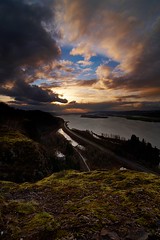
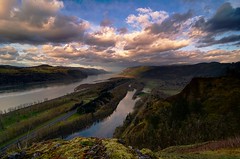
I often use this technique if the scene is too dynamic for me to capture, or if my raw processor can't pull the details out to my satisfaction. Here are some other photos that have gone through similar processes (click for full size):
April in the Columbia Gorge Columbia Gorge The River Columbia In a Field of Wildflowers... There isn't much two steps to the left....

Send Forret Trackback ping

December 8, 2008

Mt. Hood and Trillium Lake


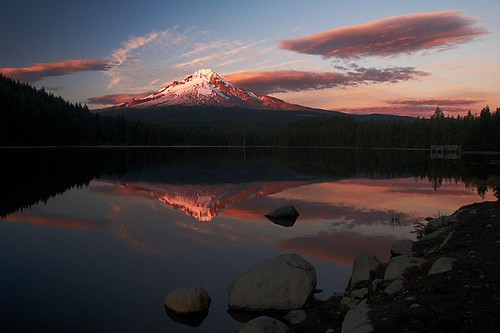
Because of the lack of snow this year, the road to Trillium Lake is still open. Alycia and I decided to take advantage of the easy access to the lake and catch the sunset. Turned out to be one of the most amazing sunsets I have seen this year.

I've been up to Trillium a couple of times now, but this is the first that the conditions we're worth taking pictures of. What I don't understand is why there are so many pictures from the dam, to me that is the least interesting view of the lake.

I have been so busy with life to post on here, but I have a bunch of new pictures on the way. The only reason this one made it here was my excitement!

Send Forret Trackback ping

September 10, 2008

Scott & Ann, a.k.a. "The Inlaws"


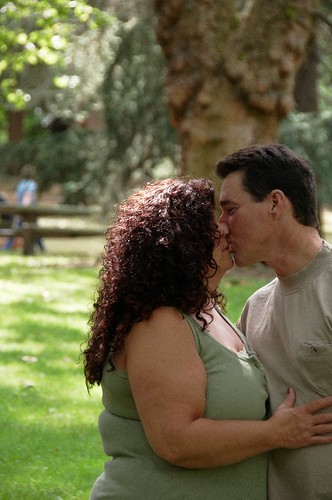
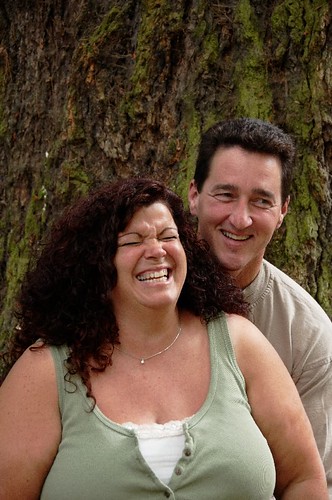
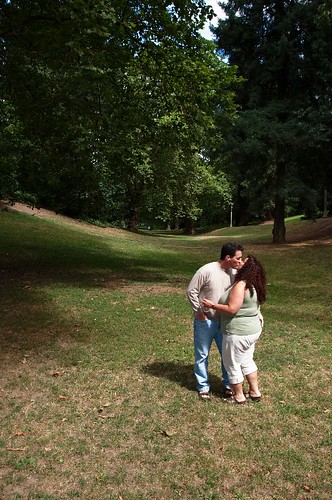
Almost a month ago, Alycia and I took her parents, Scott and Ann, to Laurelhurst Park, in south east Portland, to take portraits with them. In addition to just going out for fun to take pictures of them, Alycia was looking for experience and I was looking to get used to my new camera and flash before shooting a wedding later in August.

We had a lot of fun wandering around taking pictures and Laurelhurst is such a beautiful park. It was funny watching them react to the "Paparazzi", but after a while they relaxed to the cameras and had fun with it.

A couple more of my favorites from the session:


Send Forret Trackback ping

September 8, 2008

Forest Fire and Fireweed


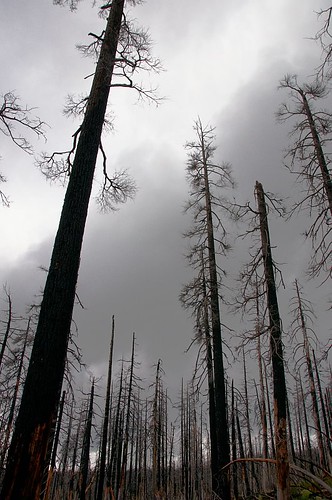
Tree's Burned in the B&B Complex

During a recent backpacking trip, I spent a lot time hiking through burned out trees. Between the B&B Complex of 2003 and the Lake George Fire in 2006, there were only 5 or so miles of trail between McKenzie Pass and Santiam Pass that we're green trees. The rest of the trip was either burned out or lavabeds, both of which make for some surreal environments.

In 2003, the Booth Fire and the Bear Butte Fire burned over 90,000 acres of forest, primarily in the Mt. Jefferson wilderness. As we approached our destination at Santiam Pass we hiked through a small section of the B&B Complex. This area was in stark contrast to the area's of the more recent Lake George Fire we had hiked through on the previous day. There everything was desolate, but here renewal had already begun.


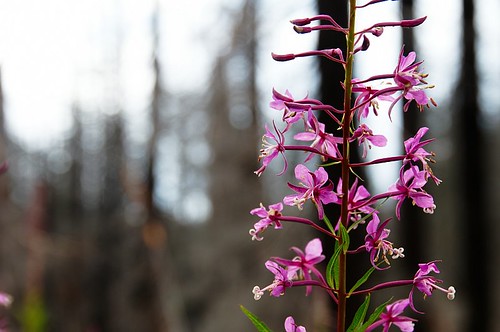
Fireweed, named such because it is one of the first things to grow again in burned areas, was in bloom. Every time I see Fireweed growing amongst the burned out trees, I marvel at how something so beautiful could come out of such desolation. In a lot of respects, it becomes an image for my life and how even amongst times of devastation, God is planting the seeds of something beautiful. A reminder of God's desire to restore and renew and an illustration of Romans 8:28 - "And we know that God causes all things to work together for good to those who love God, to those who are called according to His purpose." (NASB).

Send Forret Trackback ping

September 6, 2008

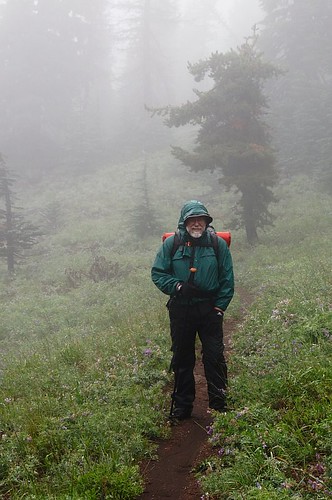
My Dad, Hiking the PCT


This is my Dad. A couple of years ago he decided he wanted to hike all of Oregon Pacific Crest Trail in sections. He got a guide book and started highlighting sections of trail and writing the date he hiked it. Today, about 3 years since he first had the idea, he now has nearly 150 miles logged on the trail and, even though Oregon still has a ways to go, is already talking about doing Washington sections.

Because of his goal, a lot of the hiking or backpacking trips we take together involve at least a chunk of the PCT, that is if they are not composed entirely of it. During our trips, I've ended up hiking some fantastic areas, many of which I would love to go back to. The PCT is a fantastic way to see the Oregon Cascades. Staying basically at the crest, it loops around numerous mountains and goes through some amazing country.

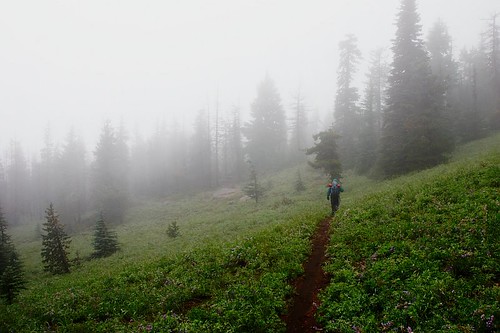
This was taken on base of Mt. Washington during a recent backpacking trip. Although we never did see the mountain, it sure was a pretty area in the fog and the wildflowers were in bloom.

Send Forret Trackback ping

September 5, 2008

Backpacking the Mt. Washington Wilderness


"Did I look miserable?"
"Yeah."
"Good! I want something to show my kids some day."


A couple of weeks ago, my brother, dad and I did a bit of backpacking in the Mt. Washington Wilderness. We had been planning a trip in the Mt. Jefferson Wilderness for weeks when we heard that a storm would be blowing in on our first night. Because we were planning to have a late start and 40 mile an hour gusts, at 1am, on the side of Mt. Jefferson didn't sound fun (or really even all that safe), we decided to start a day later, hopefully miss the storm coming through and do a shorter, 2-day trip through the Mt. Washington Wilderness.


Looking out over the lava beds

So, we start out at McKenzie pass, with the rail falling sideways, and go trekking through the lava beds. As if to mock us, while we were getting soaked, it wasn't raining at all just a couple miles to the east. About a mile in, the trail was sheltered enough for me to snap three or four pictures before the lens was covered with rain drops. This would be the last section of trail with any kind of visibility we would see for a long while. We continued our climb through the lava beds and the higher we got the harder the wind blew and the harder rain fell and the more the visibility dropped. When we hit the tree line, and the welcome shelter from the wind and rain, we had walked right past Belknap Crater (6,872 feet) and Little Belknap Crater (6,305 feet) and simply didn't see either one of them. We plugged on for several more miles before deciding to wait out the rain in the tent.

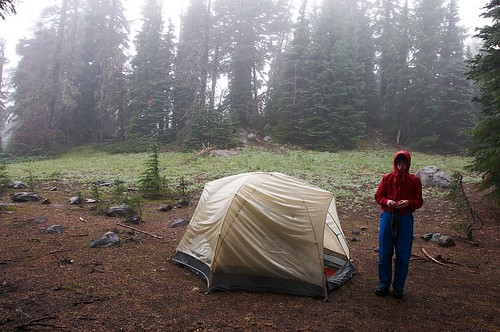
We soon discovered that the tent leaked.

After waking up wet and putting on wet boots and wet...well you get the idea (if not, see the picture at the top of the article for a visual reference), we continued around the base of Mt. Washington.


Into the Mist, On the base of Mt. Washington

Day two started off great. That is to say, the rain wasn't coming down sideways and their wasn't as much of it. The base of Mt. Washington sure was pretty in the fog, although we never did see the mountain.


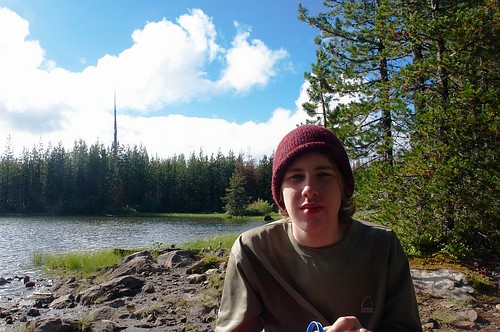
Zach, Resting at the Lake

As we continued, the weather got better and it turned into a nice day to be out for a hike. After realizing that we were a bit ahead of our scheduled pickup, we took it slow and easy for the last few miles, stopping for a bit to enjoy places like the little lake pictured above.

In the end it was a good trip. Very wet. But, I enjoyed it, I like the pictures I took and I would totally do it again next time.

Send Forret Trackback ping

September 3, 2008

Shinji & Vanessa


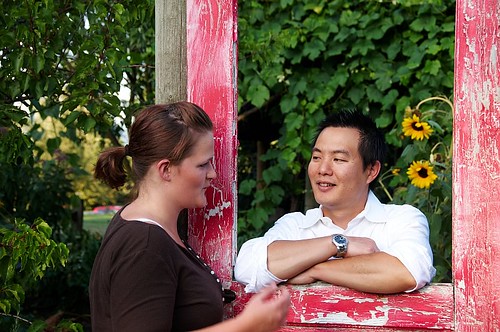
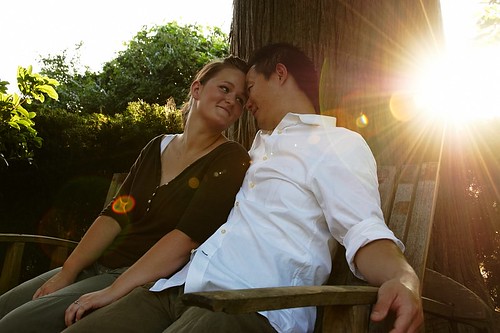
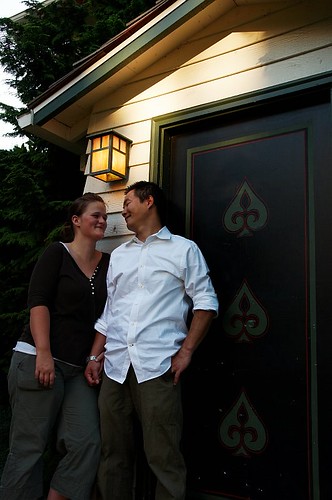
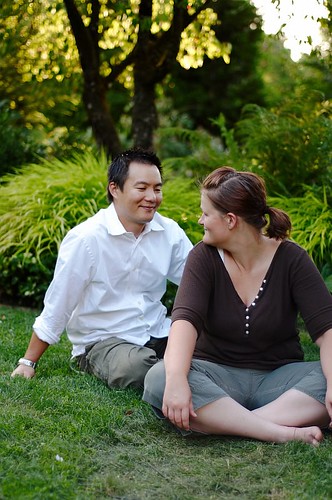
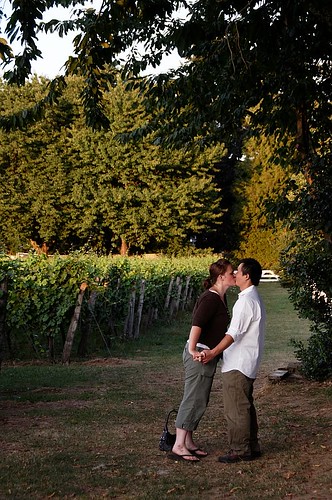
A couple of weeks ago, I had the pleasure of shooting an engagement session for my friend Shinji and his bride-to-be Vanessa. The engagement session was kind of a last minute thing, shot two weeks before the wedding. We decided to shoot it primarily for two reasons; the first being, my wife Alycia (you may have seen her picture) was going to be shooting the wedding with me and was looking for as much experience as she could get before hand. The second reason came from a conversation with Andy and Elisha at e[a] studios about how much more relaxed the wedding pictures are when you get the couple in front of the camera before the wedding. After having a "NO DUH!", "Shoulda had a V8" moment, we promptly called up Shinji and Vanessa and suggested meeting up at Edgefield, to which Vanessa responded "OH! Edgefield!".

So one hot August evening, we all wandered around Edgefield and had a blast taking pictures of these guys. After a while, they relaxed in front of the camera and when time came to take pictures at the wedding, they were totally relaxed.

Here are some highlights from the session.


Send Forret Trackback ping

Older Posts Home
Subscribe to: Comments (Atom)